Settings → Rental
Rental settings
Your store-wide rental rules. They apply to new rental products unless you override them on an individual product.
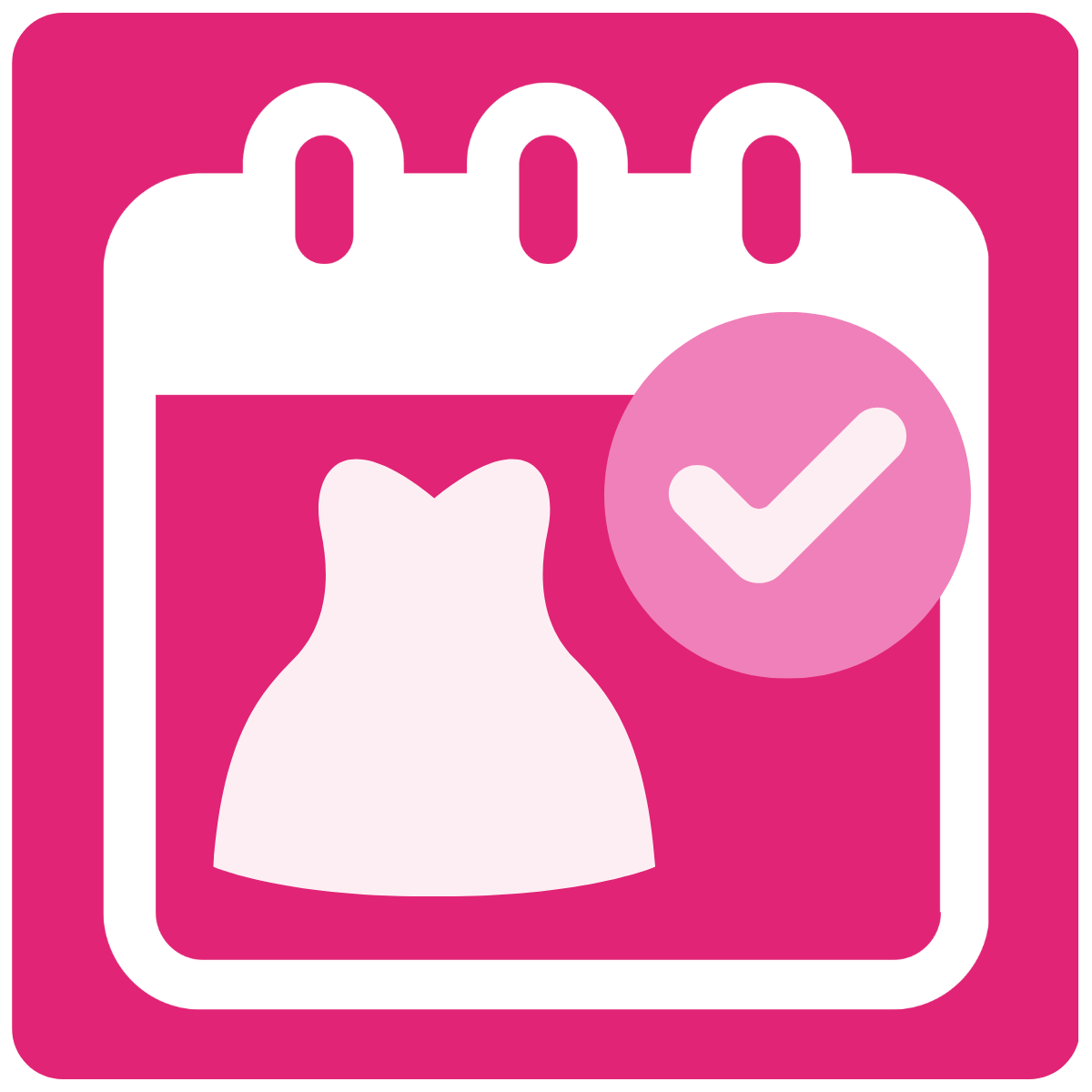
Max calendar days
How far into the future customers can book. For example, 365 lets customers book up to a year ahead.
Reserve button destination
Where customers go after they reserve a rental. The rental and its fees are always added to the cart first.
- Cart page
- Opens the full cart page (the default).
- Cart drawer
- Opens your theme's cart drawer. If the theme has no compatible drawer, the cart page opens instead.
- Checkout
- Sends the customer straight to Shopify checkout.
Variant labels
The Shopify option names the app uses to find sizes, rental durations and sell variants.
- Size Variant Name
- The option name used for sizes. The default is Size. Options named Duration are never shown as sizes.
- Duration Option Name
- Always Duration. Option values can be formatted like 4 Days.
- Rental Duration Fallbacks
- Up to five comma-separated day counts, for example 2, 4, 7. Only used when a product has no Duration variant.
- Enable Sell Variant
- Allow a variant to be bought outright (not rented) when its title contains the sell label.
- Sell Variant Label
- The label to look for, for example Buy. It must be a full slash-separated part of the variant title, so Large / Buy matches.
- Block Buy when upcoming rentals exist
- Hide the Buy option while a product has active or upcoming rentals. Products can override this.
Rental duration model
How a rental's length is set for products that don't override it:
- Fixed durations
- Customers choose a rental length (for example 4 or 8 days) from a list, priced per Shopify variant. Guide
- Next business day
- No duration picker. Customers choose a start date and the return date is set to the next weekday. Guide
Storefront calendar default
What the calendar shows when it first opens: Today's date (the current month), or Next available date (jumps to the first month with a bookable date, skipping fully booked or blocked months).
Price matching
Tick Enable price match requests to show a price match link in the rental widget after customers choose their dates, size and duration. Requests appear in Quote Requests.
Bond default
The default refundable security bond. Choose Flat Rate to charge the same amount on every rental, or Percentage to calculate it from the product or rental price. Products can override this.
Cleaning fee default
Covers standard dry cleaning, laundry or garment care. Products can override this.
Inventory default
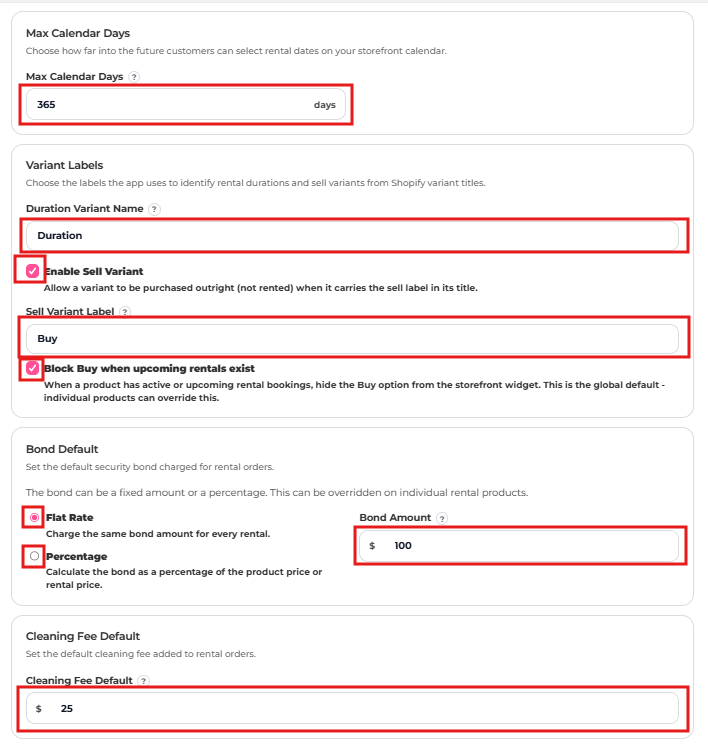
| Option | Best for |
|---|---|
| Inventory by Product | One-off items. The whole product is one rental item. Set Quantity to how many units you own, and the app uses it to prevent overbooking. |
| Inventory by Variant | Dresses in multiple sizes or colours. Availability is tracked separately for each variant. |
Cart rules
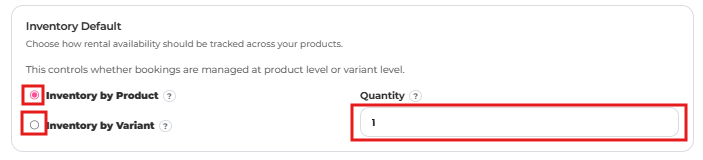
- Force Same Dates on Cart
- Every rental in the cart must use the same start and return dates. Useful if each order is for one event.
- Lock rental quantity to 1
- Customers can only rent one unit per product or variant. Recommended for dress hire.
- Prevent Duplicate Rentals
- Off by default. When on, customers who add a product that's already in their cart see a popup asking them to remove the existing rental first.