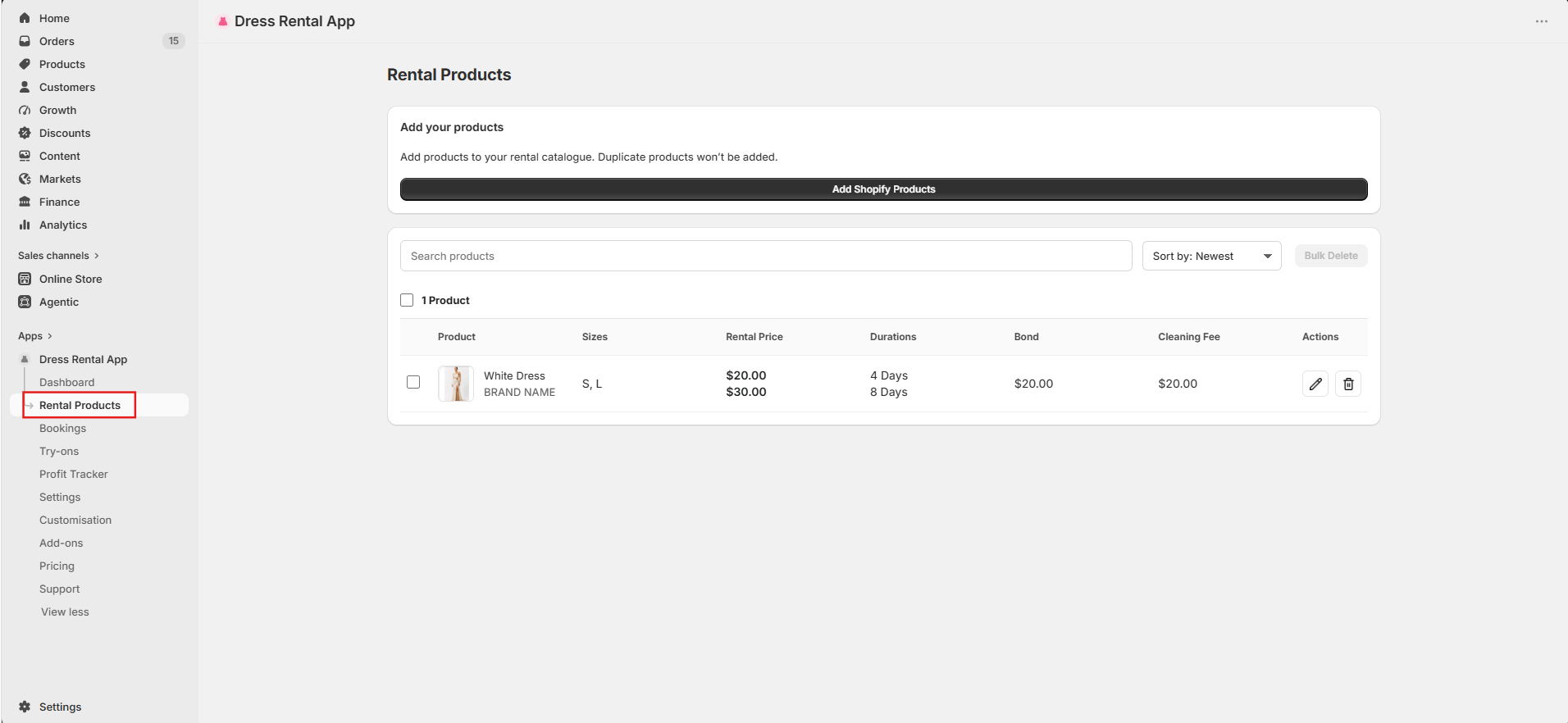
Rental products · Settings → Data
Bulk import by product type
Import every Shopify product of one product type at once, for example all products with the type Dress Hire. Useful when setting up your store for the first time.
Important: edit your rental settings first, so they're applied to the imported dresses.
-
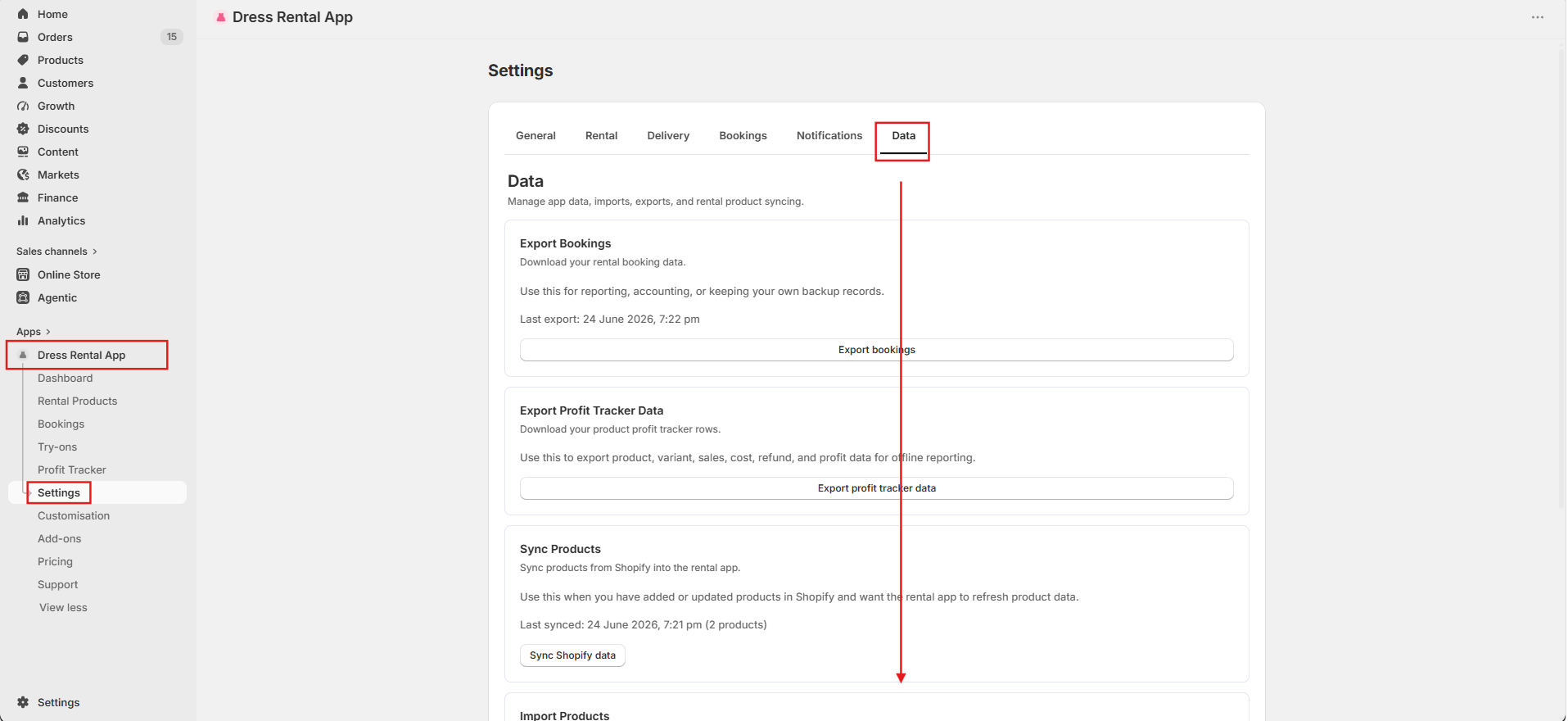
Open Dress Rental App, click Settings, then open the Data tab and scroll down.
-
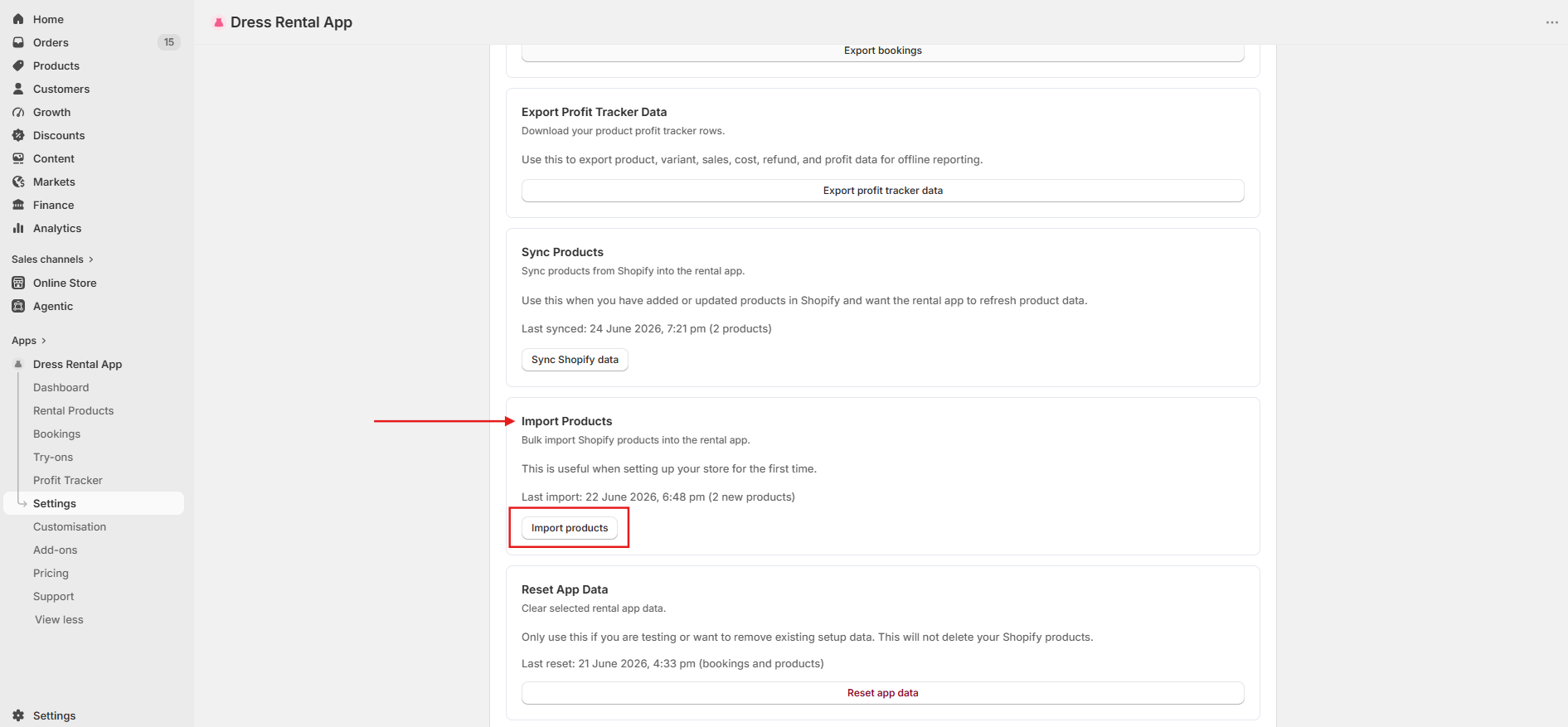
In the Import Products card, choose the Shopify Product Type and click Import products. Only exact type matches are added, and products already imported aren't duplicated.
-
Go to Rental Products to review your dresses and change any settings.