Rental products
Import rental products
Choose which of your Shopify products become rentals.
Important: edit your rental settings first, so they're applied to the dresses you import.
-
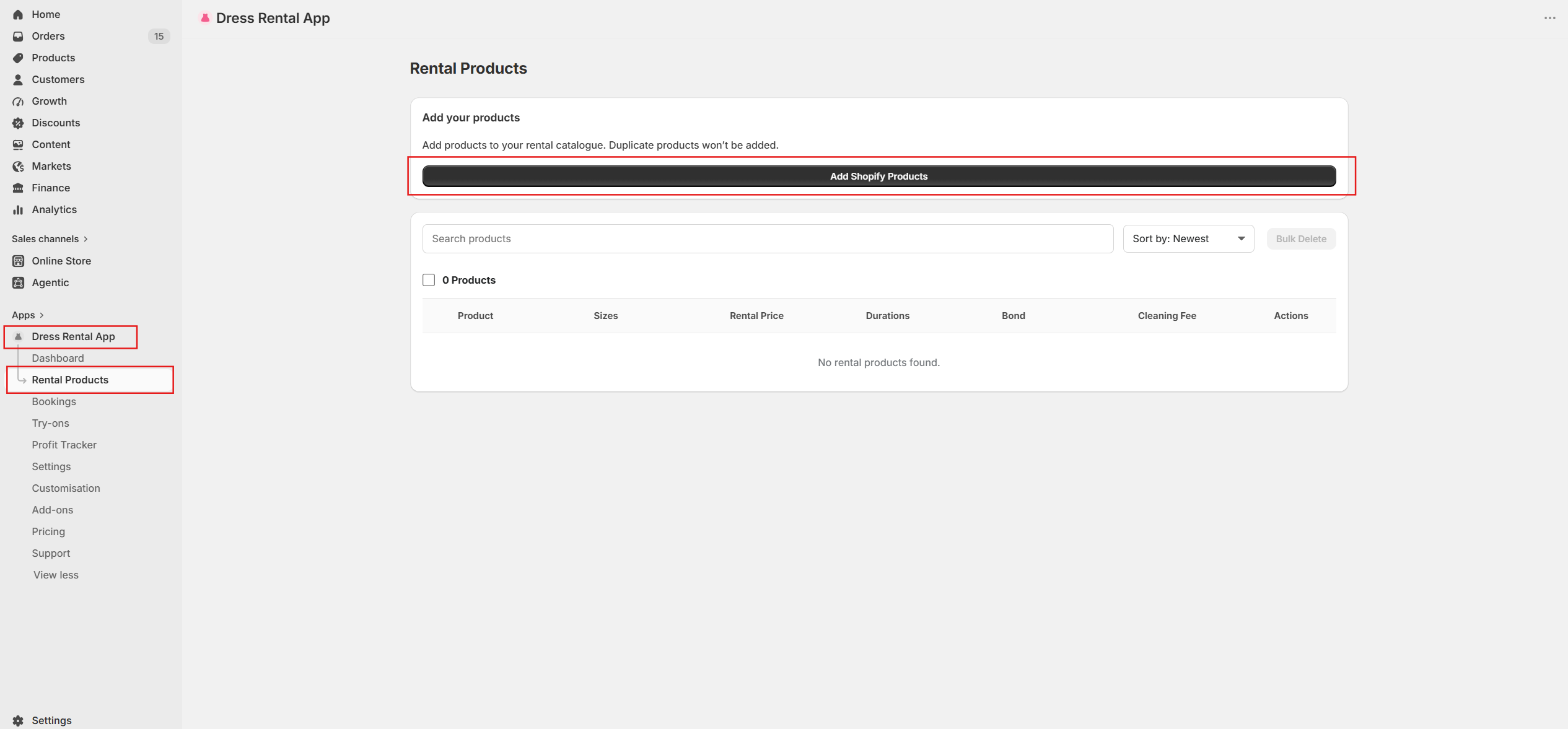
In Shopify Admin, open Dress Rental App and click Rental Products. Then click Add Shopify Products.
-
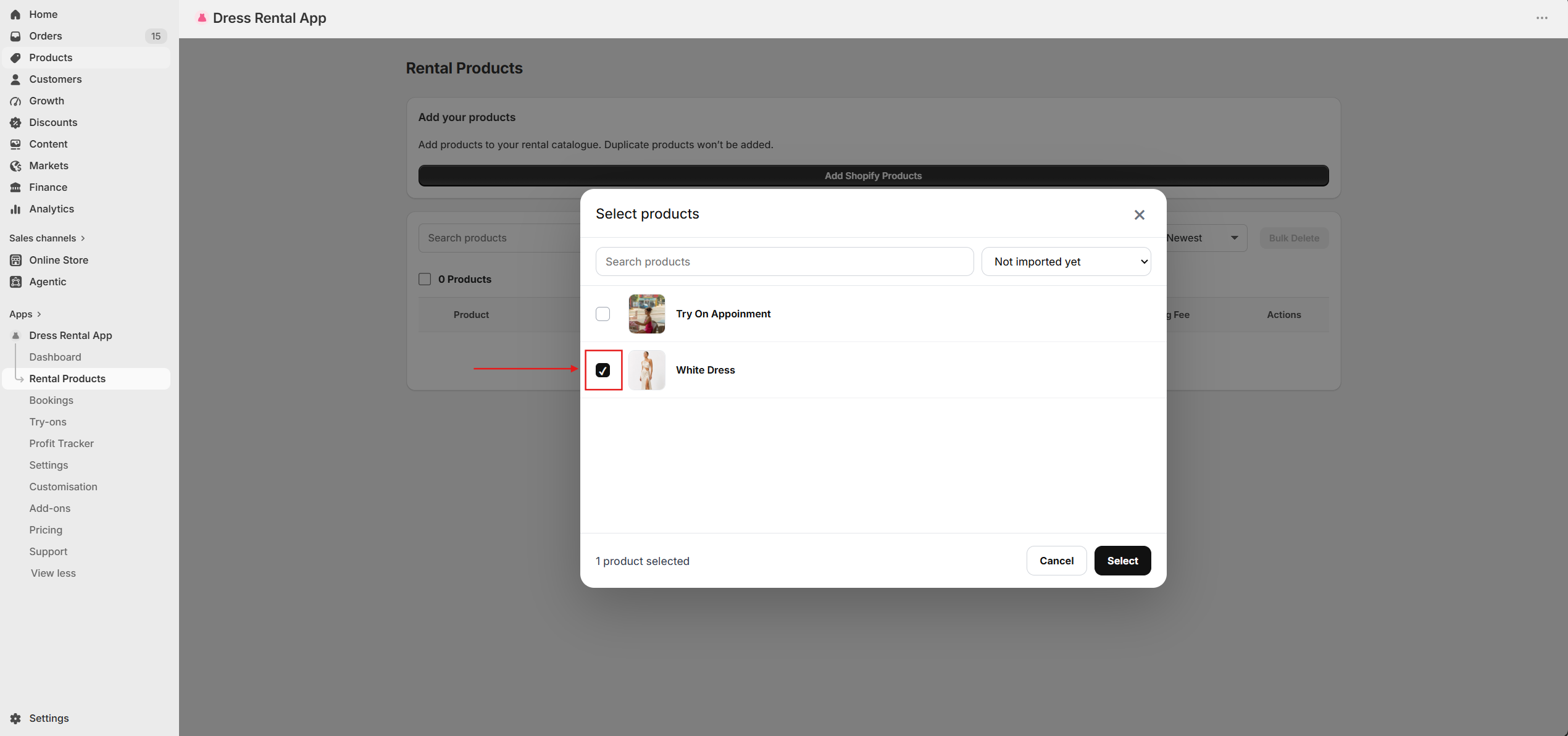
Tick the products you want to rent out and click Select. Filter by Not imported yet to avoid duplicates.
-
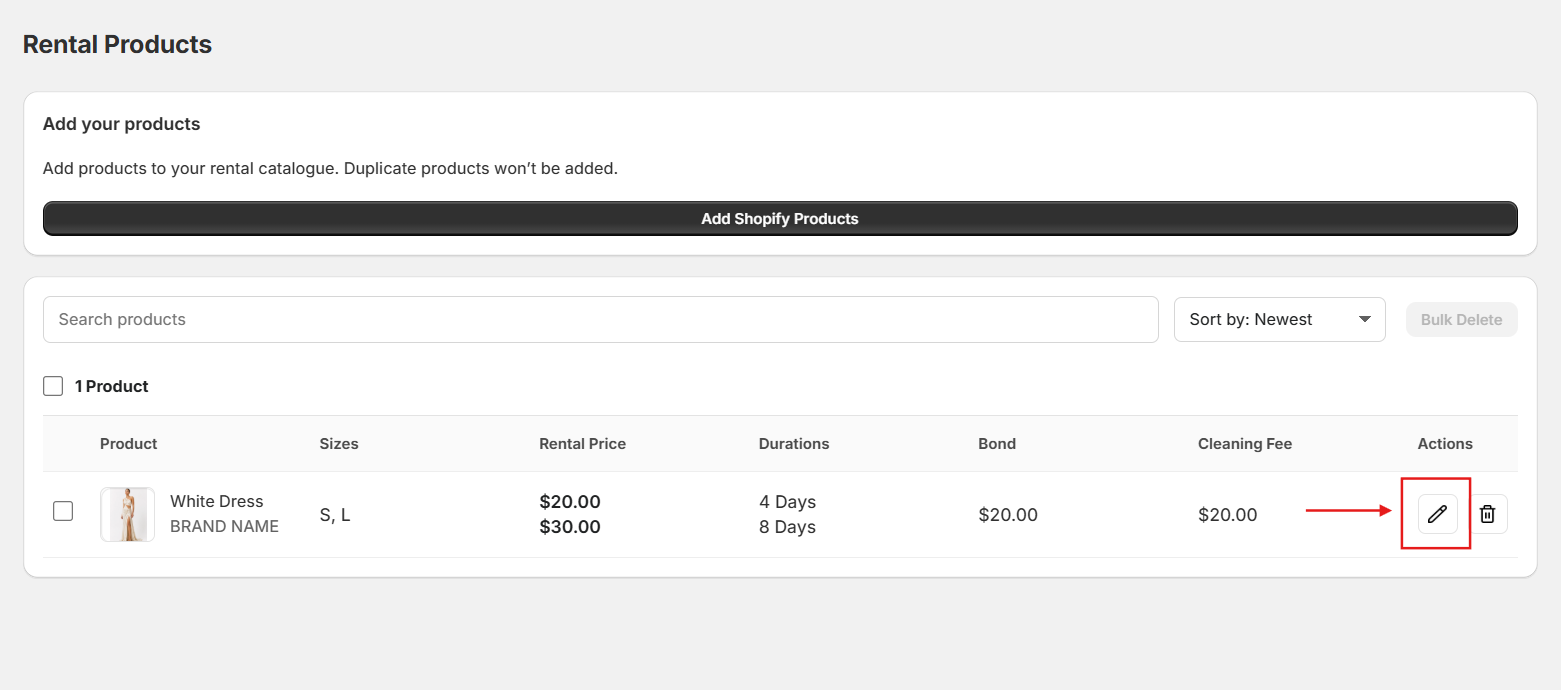
Your products appear in Rental Products with your defaults, showing sizes, rental and selling prices, durations, bond and cleaning fee.
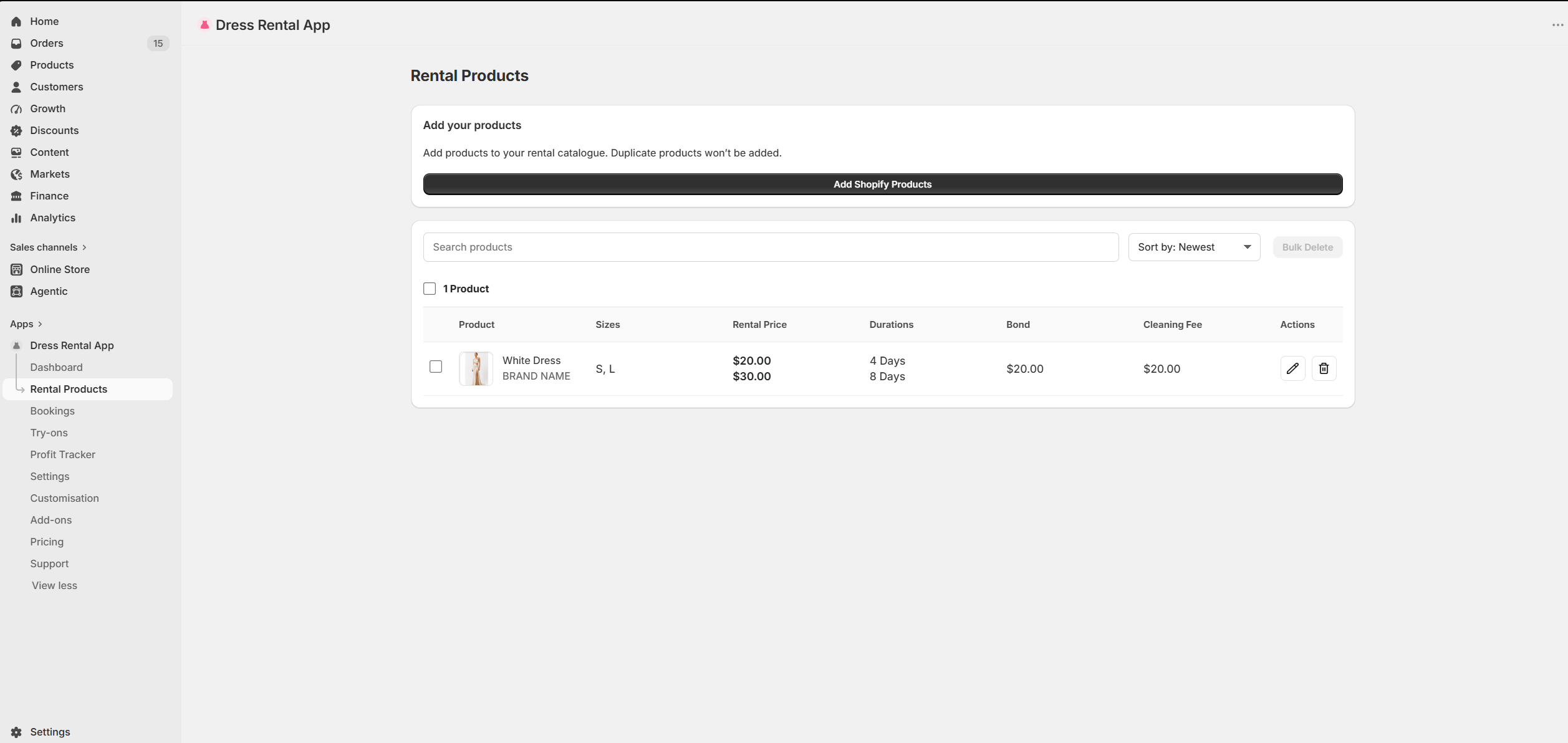
-
To change settings for one dress, click the pencil icon in the Actions column. Edit a rental product