Settings → General
General settings
Store profile
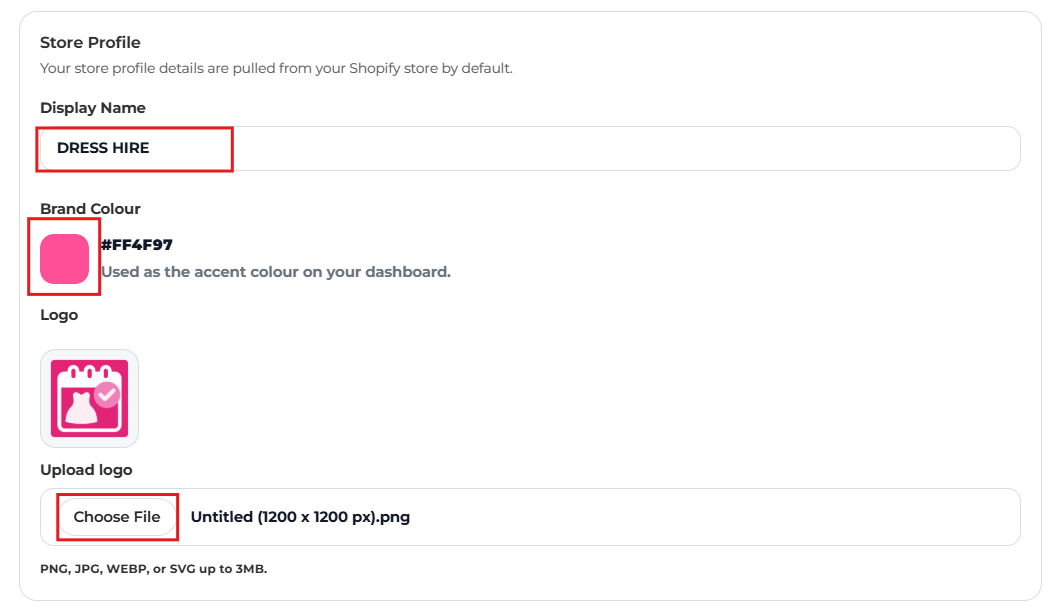
Your store profile details are pulled from your Shopify store by default. You can change them here.
- Display Name
- Your store's name.
- Brand Colour
- Used as the accent colour on your dashboard.
- Logo
- Upload a PNG, JPG, WEBP or SVG up to 3MB.
Currency
Storefront widgets follow Shopify's currency settings, so customer-facing prices and symbols stay consistent. Your store currency is synced from Shopify; change it in Shopify, and control customer-facing currencies with Shopify Markets.
Store policies
Add the link to your rental terms, hire agreement or store policy page in Terms & Conditions URL. Tick Require terms read at cart to make customers confirm they've read and accepted your terms before adding a rental to cart or checking out. Terms checkbox guide
Booking status tracking
Choose whether Shopify order activity or the app controls booking statuses. Tick Track bookings with Shopify instead of The Dress Rental App and:
- fulfilling the order in Shopify marks the rental as Shipped,
- archiving the order completes it, and
- a full refund closes it as Cancelled & Refunded.
Leave it off to move bookings through statuses yourself in Bookings.
Holiday mode
Temporarily stop all new bookings across your store for one or more date ranges. Holiday mode guide
About this app & danger zone
View Privacy Policy & Terms of Service opens the app's own policies (separate from your store's rental terms). Reset settings returns all settings to their defaults. Use it with care.